
Hi graphics,
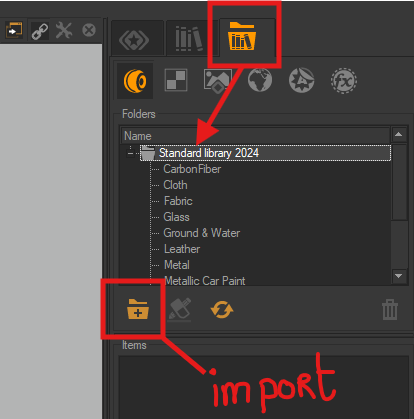
You have opened the wrong tab, you are currently in the internal library for the open project. In this tab, you will find all the materials, environments, backgrounds, and post-effects you create for your project. In your case, you can just import materials or else, one by one.
In the external library tab, as in my previous screenshot, you just need to enter the file that contains your exported materials.
As you have seen, the materials in this library are organized by type into several folders. These folders will be visible in P3D to make it easier to find your materials. When you click on the folder name in P3D, for example Fabric, all the fabric materials it contains are displayed in the “items” window .
I hope this helps
Have a nice day