Forums Technical subjects Patchwork 3D – User Support How to share a material & environment library across a company?

Author Posts

graphics
Participant

Unless I missed something, the community edition doesn’t come with a material or environment library?

Does the premium versions come with that?

And if so, how do you share them across a company? Can you put them on a network drive and point to them in the program?

(Also, why is the last post in this forum from 2021? Is this a dead software or am I writing in the wrong place? I haven’t gotten any replies to the e-mails I’ve sent either… maybe it is because unless you are a big corporation, they are not interested in you?)

Kévin
Keymaster

Hello graphics,

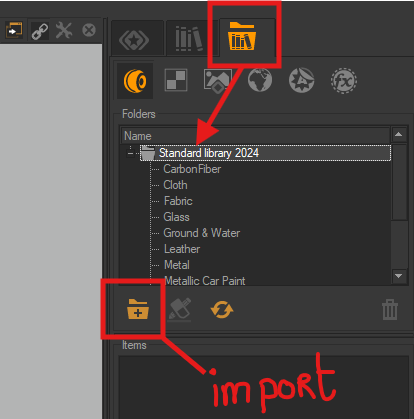
You can find the P3D material library in Matter in this tab.

You can share your P3D materials across your company, you just need to add your material folder with the import Button . It will be add under the “Standard library 2024”

Have a nice day


graphics
Participant

Thank you for the information!

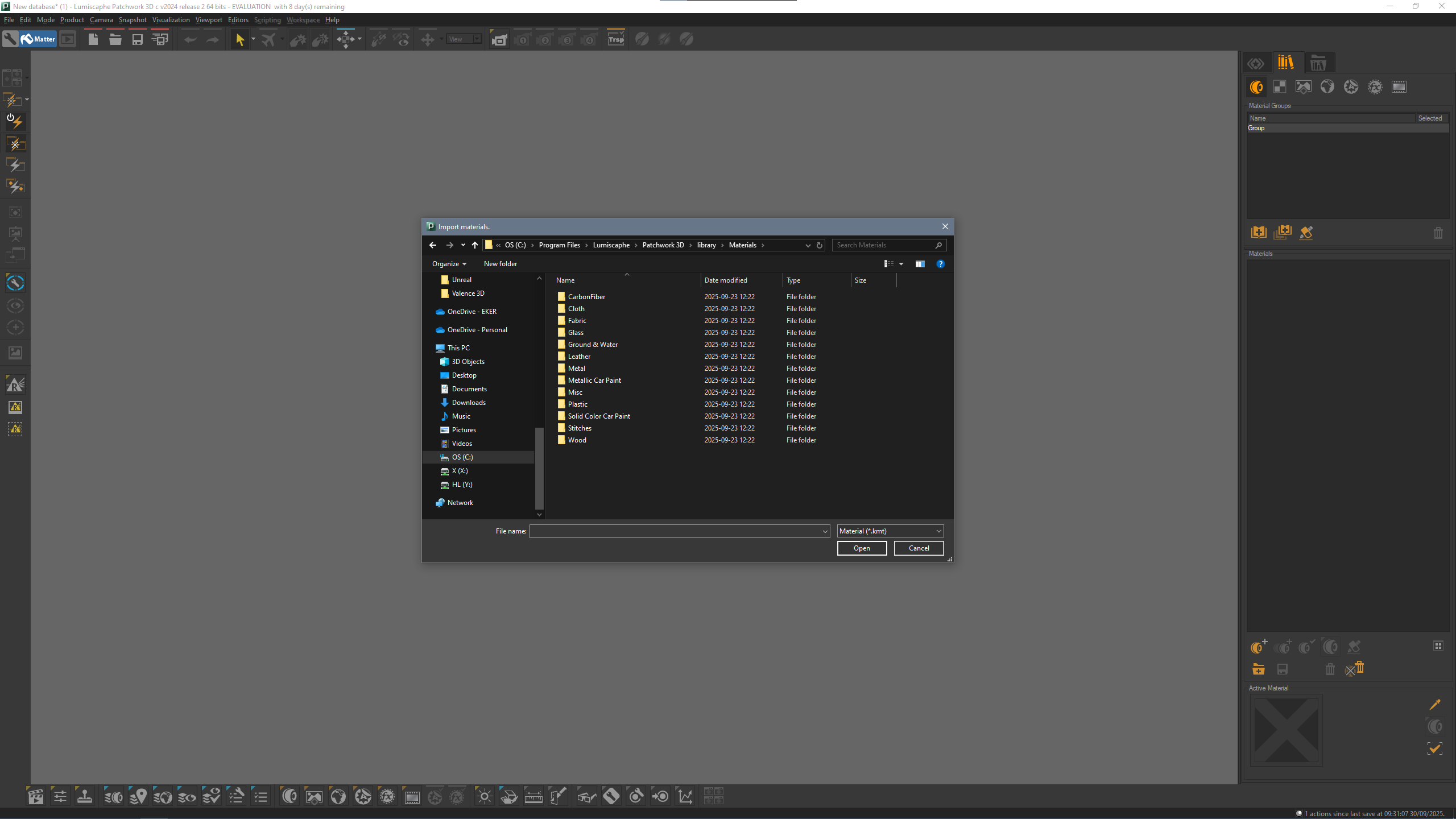
It seems that when I press that button and go to the Patchwork install folder, there are materials in a library, but spread out in several different folders and no single file to import?

So I guess I need to import every single file manually first, determine what we want to use in the company, and then export a single file (hopefully then containing ALL materials) onto our network share for everyone to use?

  • This reply was modified 2 months, 2 weeks ago by graphics.


Kévin
Keymaster

Hi graphics,

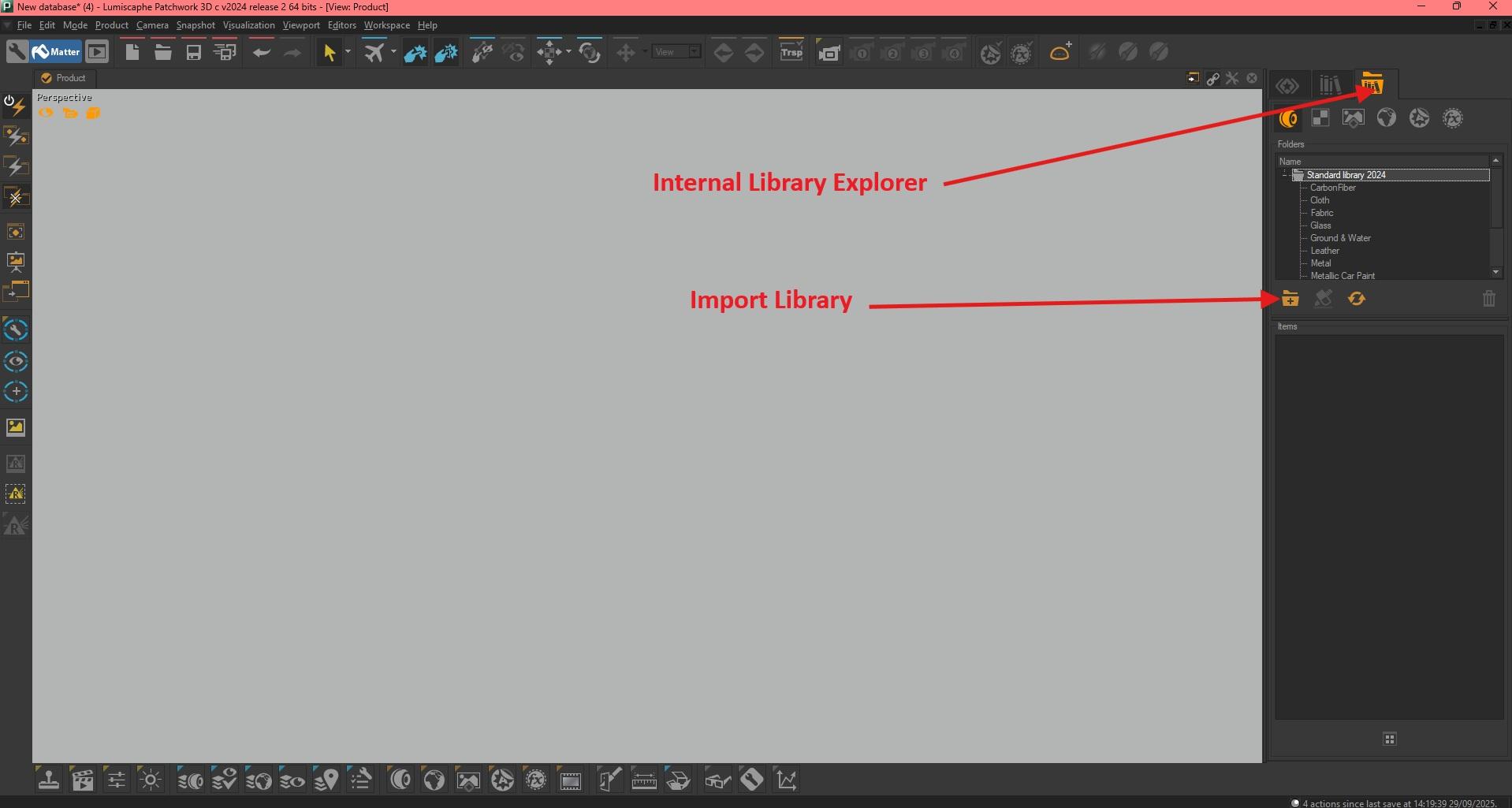
You have opened the wrong tab, you are currently in the internal library for the open project. In this tab, you will find all the materials, environments, backgrounds, and post-effects you create for your project. In your case, you can just import materials or else, one by one.

In the external library tab, as in my previous screenshot, you just need to enter the file that contains your exported materials.

As you have seen, the materials in this library are organized by type into several folders. These folders will be visible in P3D to make it easier to find your materials. When you click on the folder name in P3D, for example Fabric, all the fabric materials it contains are displayed in the “items” window .

I hope this helps

Have a nice day


graphics
Participant

Oh, thank you for pointing this out! Sorry, I honestly don’t understand why I did not see that before.

Now I just have to figure out how to replace all objects in the assembly which has the same color, with the same material.


Julien
Participant

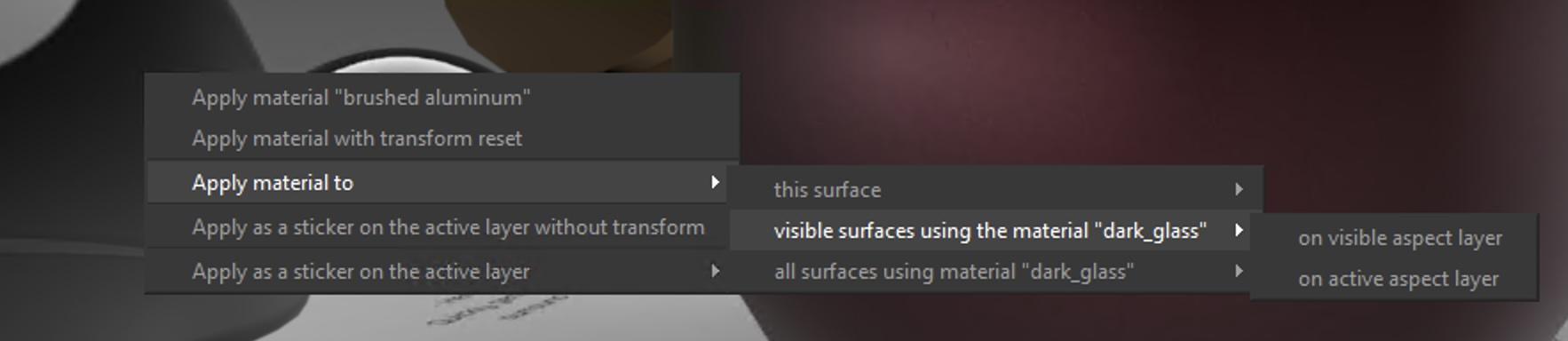
When you drag-n-drop a material on a surface, you can see in the bottom status bar some information about modifiers. Drag-n-drop+Control+Shift will open an “Advanced menu” and you will be able to replace a material by another for all the surfaces using the same material.


Julien
Participant


  • This reply was modified 3 weeks, 3 days ago by Julien.

  • You must be logged in to reply to this topic.