
Finding precise technical information across a comprehensive real-time 3D ecosystem can be time-consuming. From GPU Path Tracing settings in Patchwork 3D to 3D Digital Backbone interoperability workflows and Blender add-ons, mastering advanced software capabilities requires immediate access to accurate, contextualized knowledge.
Following a successful internal testing phase, we are excited to announce that our Lumiscaphe Software Knowledge AI Assistant, powered by Gemini Notebook, is officially moving from experimentation to general public access.
Context
Lumiscaphe’s Software Suite represents hundreds of specialized features, technical specifications, and cross-tool workflows. Navigating user manuals, release notes, and technical documentation during tight production deadlines can create operational bottlenecks.
Initially tested internally to accelerate knowledge sharing, this AI-driven tool is now available directly to our users. Trained on our latest documentation and release notes, the Gemini Notebook functions as an interactive, expert knowledge partner available 24/7.
Benefits
Integrating the Lumiscaphe Software Knowledge Notebook into your daily pipeline offers several operational advantages:
- Knowledge Democratization: Every team member gains immediate, autonomous access to expert-level information without relying on support ticket back-and-forth.
- Sourced and Verifiable Answers: Answers are directly grounded in official Lumiscaphe release notes and documentation, maintaining full traceability.
- Accelerated Onboarding & Autonomy: New users and technical artists achieve faster operational autonomy.
Cross-Functional Synergy: Bridging technical understanding between design, engineering, and marketing roles when configuring multi-software pipelines.
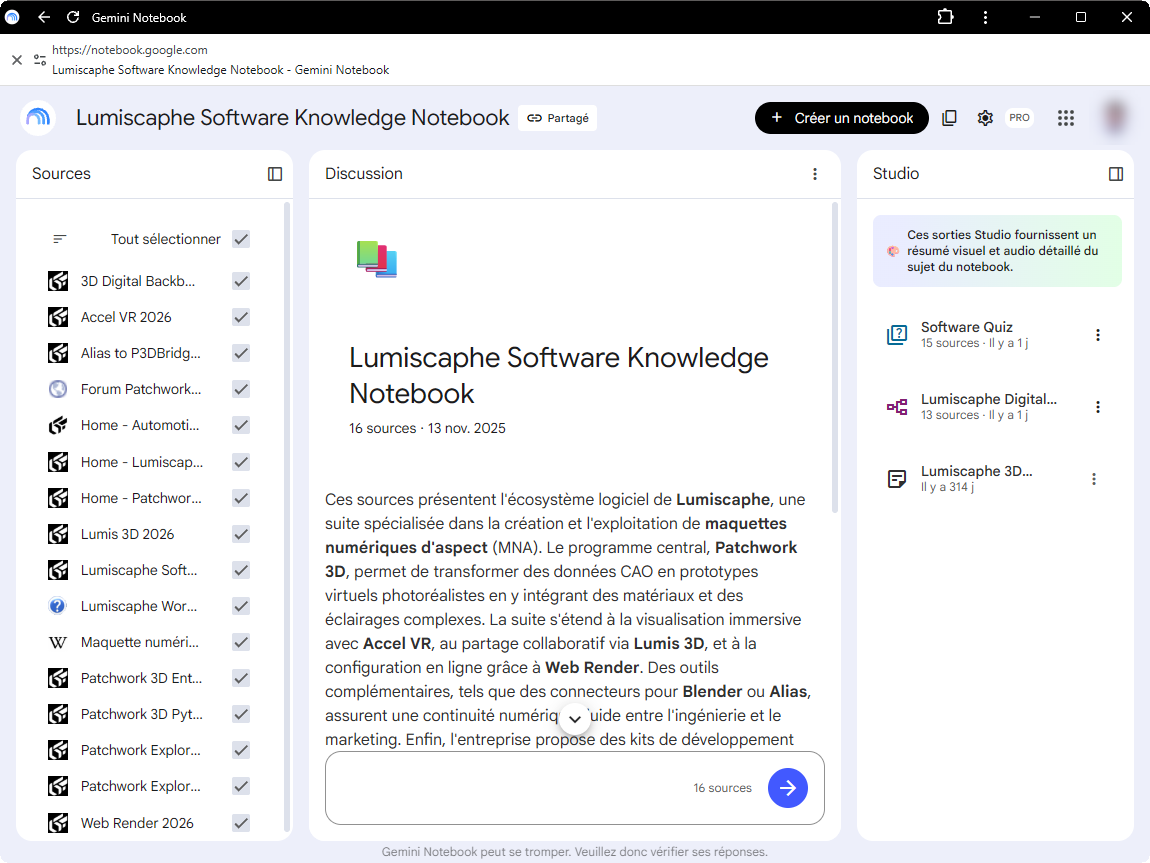
How to Use the Tool: Practical Use Cases
The Lumiscaphe Software Knowledge Notebook is designed to answer complex technical queries effortlessly.
Here are short, simple examples of how you can interact with the assistant:
1. Ask Targeted Questions About Products or Features
Query specific tools or modules within the Lumiscaphe suite:
- “How does the Patchwork 3D Python SDK work?”
- “Can I render configured 3D images remotely?”
2. Request Comparisons or Syntheses
Cross-reference technical information across multiple software applications:
- “What is the difference between Patchwork Explorer and Accel VR?”
- “What are the different editions of Patchwork 3D?”
3. Explore Workflows and Domain Concepts
Understand end-to-end industrial processes and technical integration steps:
- “What is the Visual Twin?”
- “How does integration with Blender work?”
4. Specify Your Preferred Response Format
Tailor the AI’s output to match your immediate reporting or learning need:
Request a comparison table, a concise bulleted list, a 3-point summary, or a step-by-step detailed explanation.
Conclusion
AI-powered knowledge access at Lumiscaphe represents a practical approach to an ongoing industrial challenge: making complex technical expertise easily accessible across all roles. By transitioning this assistant into production, we empower our client users to maximize software capabilities and solve technical hurdles independently.
Access the Lumiscaphe Software Knowledge Assistant
Ready to explore the assistant and streamline your technical inquiries?
👉 Ask the Lumiscaphe Software Knowledge Assistant here 👈